


MP Project Writer Toof for GT-SP [GT MPWR]
Major changes and downloads of past versions
-
2025-12-25
V1.0.0
- Initial version
GT-SP Project Writing Tool for Mass Production
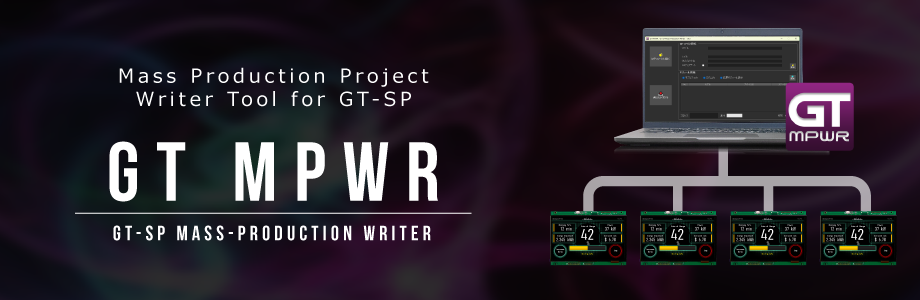
[GT MPWR] is a mass-production writing tool designed to simultaneously register projects created in GT Design Studio onto TFT modules. By connecting multiple Touch TFT modules (GT-SP) to a PC via USB cables, you can perform batch writing of both projects and firmware.
How to use
Preparation of Mass Production Project (MP File)
1. Open the project in GT DESIGN STUDIO.
2. Click the Options button located at the far right of the top toolbar.
3. Select Create MP File and click the Generate button.
4. An MP file (ZIP format) will be generated.
Writing Mass the Production Projects (MP Files)
1. Download and Install: Download "GT MPWR" and install it on your PC.
2. Launch: Start the "GT MPWR" application.
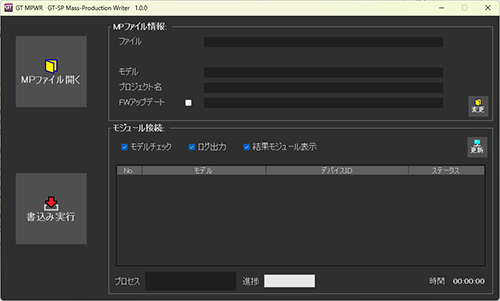
3. Select Project: Click the "Open MP File" button to select the MP file (ZIP format) you wish to write to the TFT modules.
4. Select Firmware (Optional): If you need to change the firmware version, click the "Change" button and select the appropriate file.
5. Connect Hardware: Connect the TFT modules to the PC using USB cables. (Multiple units can be connected simultaneously using a USB hub.)
6. Power On: Turn on the power for all connected TFT modules.
7. Check Connection: Click the "Update" button to verify the connection status between the PC and the TFT modules.
8. Execute Writing: Click the "Execute Writing" button to begin transferring the project and/or firmware.
9. Verify the results by checking both the tool screen on your PC and the TFT display on the modules.
10. Complete Process: Turn off the power to the TFT modules and disconnect them to complete the process.
11. Repeat: Repeat steps 5 through 10 for subsequent batches.
Operating environment
・Compatible product: TFT/LCD Touch Screen Modules GT-SP
・OS: Windows 11